


Table of Contents
- Introduction: Why Strong Writing Matters When Applying for Jobs
- Improve Grammar and Spelling Before Submitting an Application
- Make Resume Descriptions Clearer and More Concise
- Create More Professional Cover Letters
- Write Better Emails to Recruiters and Hiring Managers
- Improve Answers to Online Job Application Questions
- Maintain a Consistent Professional Tone
- FAQs
What to care of when writing job applications
When it comes to landing your dream job, first impressions matter. Your application is often the first glimpse employers get of you, and strong writing can set you apart from the competition. Whether you’re crafting a resume, cover letter, or even an email to a recruiter, clear and polished communication speaks volumes about your professionalism. In today’s competitive job market, every detail counts especially when it comes to how well you express yourself on paper. With tools like Grammarly by your side, you’ll not only avoid embarrassing typos but also ensure that each element of your application reflects your best self. Let’s explore how Grammarly can elevate your job-seeking game!
Improve Grammar and Spelling Before Submitting an Application
When it comes to job applications, even minor errors can leave a lasting impression. A well-crafted application reflects your attention to detail and professionalism.
Using Grammarly for job seekers is an effective way to catch those pesky grammar and spelling mistakes. This tool scans your writing in real-time, highlighting errors that you might overlook during proofreading.
Imagine sending out resumes or cover letters with typos. It can undermine your qualifications and make recruiters question your credibility. With Grammarly’s assistance, you’ll present polished documents that showcase your skills clearly.
Not only does this boost confidence, but it also demonstrates respect for the hiring process. Your written communication represents you before any interview takes place; ensuring it’s error-free sets a positive tone from the start.
Make Resume Descriptions Clearer and More Concise
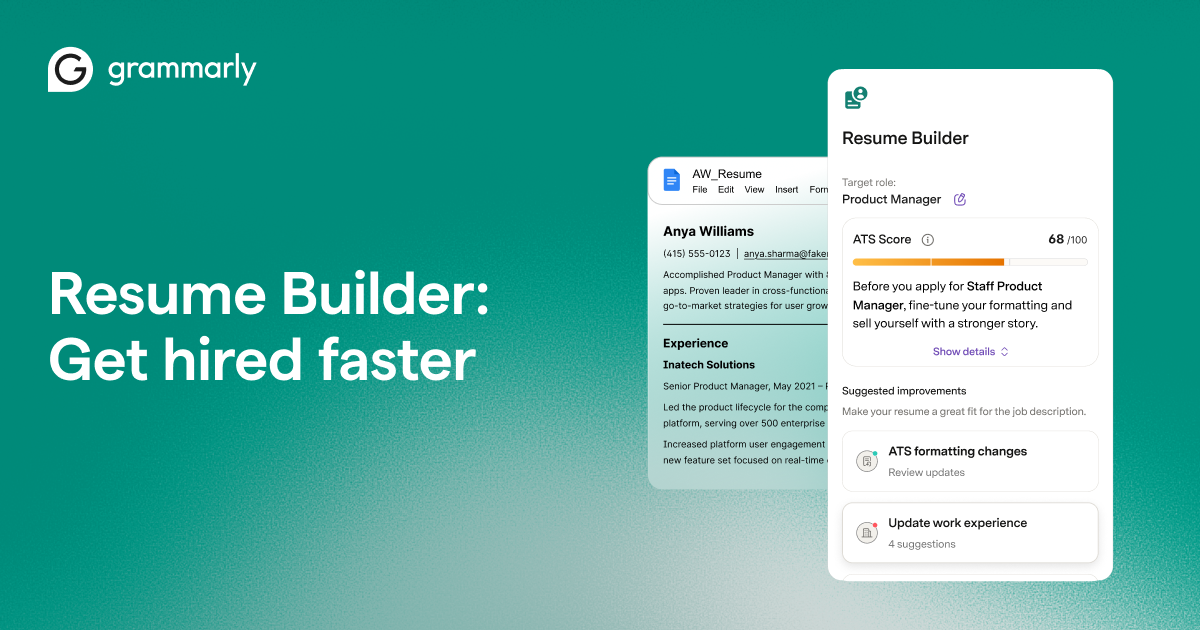
A resume is your personal marketing tool. It’s essential for it to capture attention quickly. Clear and concise descriptions are crucial in achieving that goal.
Grammarly can help you refine each bullet point on your resume. With its grammar checks, you’ll eliminate typos that distract hiring managers from your qualifications. Clarity is key; vague phrases won’t impress anyone.
Focus on action verbs and specific achievements rather than generic duties. Instead of saying “responsible for managing a team,” try “led a team of five to exceed sales targets by 20%.” This makes your experience more impactful.
Additionally, Grammarly provides suggestions for word choice, helping you replace jargon with straightforward language. The easier it is for someone to understand what you’ve accomplished, the better chance you have of standing out among applicants. Remember: less is often more when crafting effective resume descriptions.

Create More Professional Cover Letters
Crafting a professional cover letter is essential for making a strong impression on potential employers. It’s your chance to showcase not only your qualifications but also your personality.
Grammarly can enhance this vital document by helping you refine your language. With real-time grammar and style suggestions, it ensures that every sentence reflects clarity and professionalism.
Imagine sending a cover letter without worrying about typos or awkward phrasing. Grammarly helps weave together compelling narratives that highlight why you’re the perfect fit for the job.
Additionally, it assists in maintaining an engaging tone while ensuring that you stay concise. This balance keeps hiring managers interested from start to finish.
Using Grammarly means presenting yourself as detail-oriented and committed qualities every employer values in candidates. Your cover letter transforms into more than just another application; it’s a tailored introduction showcasing your best self.

Write Better Emails to Recruiters and Hiring Managers
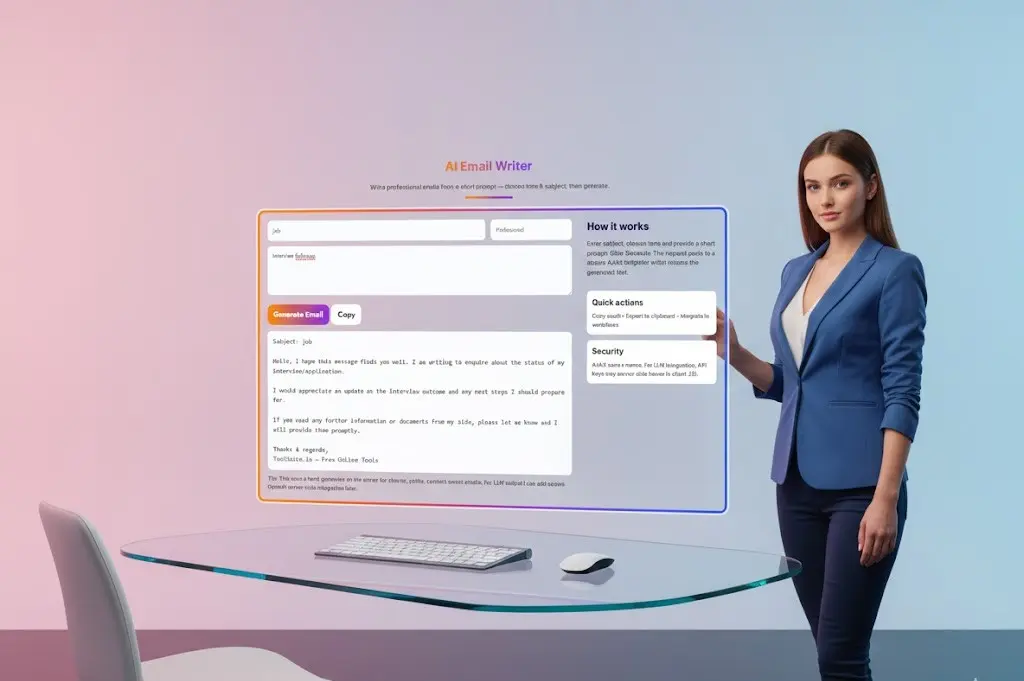
Emails to recruiters and hiring managers can set the tone for your job application. Clarity is essential. A well-structured email catches attention, while a confusing one may lead to missed opportunities.
Using Grammarly ensures that your emails are free from errors. Typos or grammatical mistakes can create an unprofessional impression. With its real-time suggestions, you’ll craft polished messages that reflect your professionalism.
Consider the tone as well. Grammarly helps maintain a balance between formal and approachable language, important in making connections with potential employers.
Remember to keep it concise but informative. Clearly state your purpose, whether you’re following up on an application or expressing interest in a position.
Personalizing each email also shows genuine interest; mention specifics about the company or role that resonate with you. This thoughtful touch can make a lasting impact on hiring teams looking for engaged candidates.
Improve Answers to Online Job Application Questions
Job applications often include questions that require thoughtful responses. These can be tricky, especially when you’re trying to stand out among other candidates.
Grammarly can step in here as a valuable tool. It helps refine your answers for clarity and impact. Whether it’s tweaking sentence structure or enhancing word choice, you want your responses to resonate well with recruiters.
When facing behavioral questions, precise language is key. Grammarly assists by ensuring your sentences flow smoothly while maintaining the right tone. This way, you convey confidence and professionalism without any grammar-related distractions.
Moreover, the platform enables you to adapt your writing style based on each role’s requirements. You’ll find that addressing specific job attributes becomes easier with tailored vocabulary suggestions at hand.
Using Grammarly transforms potentially bland answers into compelling narratives that showcase your skills effectively. Your online application will reflect a polished image of who you are as a candidate.
Maintain a Consistent Professional Tone
Maintaining a consistent professional tone is vital when navigating the job application process. This consistency reflects your professionalism and attention to detail.
When writing resumes, cover letters, or emails, ensure that your language remains formal yet approachable. Avoid slang or overly casual expressions; they can undermine your credibility.
Grammarly helps streamline this aspect by analyzing your writing style. It provides suggestions to align your tone with industry standards. Whether you’re crafting a Grammarly cover letter or responding to recruiters, using tools like Grammarly ensures clarity and appropriateness in every communication.
Moreover, staying professional doesn’t mean being robotic. Infuse personality while keeping it polished this balance can make you memorable without sacrificing professionalism.
Remember that each piece of written communication serves as an extension of yourself. Keeping a steady tone throughout creates coherence and strengthens your overall message.