

Table of Contents
- Benefits of Using Grammar Checker Tools
- Top 5 Grammar Checker Tools for Writers and Bloggers
- A. Grammarly
- B. ProWritingAid
- C. Hemingway Editor
- D. Ginger Software
- E. WhiteSmoke
- How to Choose the Right Grammar Checker for You
- Tips for Using Grammar Checkers Effectively
- Common Mistakes That Can Be Caught by Grammar Checkers
- Frequently Asked Questions
Use of Grammar Checkers
In the fast-paced world of writing and blogging, clarity is key. Every word you choose has the power to captivate your audience or lose them entirely. But what if a simple typo or misplaced comma could derail your message? Enter grammar checker tools your digital writing companions that help ensure every piece flows smoothly and reads flawlessly.
Whether you’re crafting an engaging blog post, an academic essay, or even just a social media update, these tools can elevate your writing by catching those pesky errors that might slip through the cracks. With advancements in technology, today’s grammar checkers do more than just point out mistakes; they provide suggestions for style improvements and enhance readability too.
Let’s explore some of the best grammar checker tools available today specifically designed for writers and bloggers like you. Get ready to boost your confidence and polish your prose!
Benefits of Using Grammar Checker Tools
Using grammar checker tools can transform your writing process. They help eliminate errors that might go unnoticed during proofreading.
These tools enhance clarity and readability. By suggesting better word choices, they ensure your message resonates with readers effectively.
Moreover, grammar checkers save time. Instead of poring over every sentence, you can receive instant feedback and corrections.
They also boost confidence in writing. Knowing a tool is there to catch mistakes allows writers to focus on creativity without fear of grammatical pitfalls.
Additionally, many grammar checkers provide insights into style and tone. This guidance helps match your writing voice with the intended audience for greater impact.
These tools foster learning by highlighting recurring mistakes. Over time, users become more aware of their weaknesses and improve their skills naturally.
Top 5 Grammar Checker Tools for Writers and Bloggers
Grammarly is a top choice for many writers. Its user-friendly interface and real-time feedback make editing seamless. It checks grammar, punctuation, and style while offering suggestions to enhance your writing.
ProWritingAid stands out with its in-depth analysis features. This tool not only corrects mistakes but also helps improve overall structure and readability. It’s perfect for those who want comprehensive insights into their work.
The Hemingway Editor excels at simplifying complex sentences. Its focus on clarity makes it ideal for bloggers aiming to engage readers effectively without unnecessary jargon.
Ginger Software combines grammar checking with translation capabilities. This feature benefits bilingual writers who need assistance in multiple languages while ensuring their content remains polished.
WhiteSmoke offers an all-in-one solution that includes plagiarism detection alongside grammar checks. It’s fantastic for professional writers wanting peace of mind regarding originality in their work.

A. Grammarly
Grammarly is a popular choice among writers and bloggers. This tool offers real-time grammar, punctuation, and style suggestions.
Its interface is user-friendly and intuitive. You can install it as a browser extension or use the desktop app for seamless writing experiences across platforms.
One of its standout features is the tone detector, which helps you craft messages that resonate with your audience. It also provides vocabulary enhancement suggestions to elevate your writing.
Grammarly’s premium version unlocks advanced checks for style consistency, readability scores, and plagiarism detection. Many users appreciate these additional layers of scrutiny that help polish their work.
Whether you’re drafting an email or composing a blog post, Grammarly serves as an invaluable partner in ensuring clarity and professionalism in every piece you create.
B. ProWritingAid
ProWritingAid is a robust tool designed for writers who crave in-depth feedback. Unlike basic grammar checkers, it dives deeper into your writing style and structure.
This software provides comprehensive reports that highlight areas needing improvement. From overused words to sentence length variation, ProWritingAid helps you refine your work on multiple levels.
Its user-friendly interface makes navigation seamless. You can easily customize settings based on your specific needs or genre preferences. Whether you’re crafting fiction or business content, this tool adapts accordingly.
Integrations with popular platforms like Google Docs and Microsoft Word enhance its usability. This means you can write where you’re most comfortable while still benefiting from powerful editing features.
ProWritingAid also offers a unique real-time collaboration feature, making it perfect for teams working together on projects. With its extensive resources and tips available through the app, writers are empowered to elevate their skills continuously.
C. Hemingway Editor
Hemingway Editor stands out for its unique approach to writing. It focuses on clarity and simplicity, making it ideal for bloggers and writers who want their message to shine.
This tool highlights complex sentences and suggests alternatives. If you tend to write lengthy paragraphs, Hemingway will flag them for a more concise style.
The readability score is one of its standout features. You can easily see how accessible your text is to readers at different levels. This ensures that your audience grasps your content without getting lost in jargon or convoluted phrases.
It’s also available both online and as a desktop app, providing flexibility based on your writing environment. Whether you’re drafting blog posts or polishing essays, Hemingway Editor helps keep your prose sharp and engaging.
D. Ginger Software
Ginger Software stands out with its robust features tailored for writers and bloggers. This tool is more than just a grammar checker; it also offers real-time suggestions to enhance your writing style.
One notable feature is the sentence rephrasing option. If you find yourself stuck on how to express an idea, Ginger can provide alternatives that maintain your voice while improving clarity.
Additionally, it includes a built-in translator supporting over 60 languages, making it versatile for multilingual content creators. The user-friendly interface makes navigation easy, allowing you to focus on your writing without distraction.
Moreover, Ginger’s personal trainer module offers customized lessons based on errors you’ve made previously. This unique aspect helps users not just correct mistakes but learn from them as well, fostering long-term improvement in writing skills.

E. WhiteSmoke
WhiteSmoke stands out as a comprehensive grammar checker designed for writers seeking both accuracy and depth. This tool not only corrects grammatical mistakes but also enhances style and clarity.
One of its key features is the contextual spelling correction, which allows it to catch errors that traditional tools might miss. It analyzes text contextually, ensuring your writing flows naturally.
Additionally, WhiteSmoke offers translation capabilities for multilingual writers. This makes it a versatile choice for those who write in different languages or are looking to expand their audience globally.
The user-friendly interface makes navigation easy, even for beginners. With detailed explanations provided with each correction, users can learn from their mistakes while improving their skills over time.
Whether you’re drafting blog posts or professional papers, WhiteSmoke equips you with the tools needed to elevate your writing quality significantly.
How to Choose the Right Grammar Checker for You
Choosing the right grammar checker can feel overwhelming. Start by identifying your specific needs as a writer or blogger. Are you looking for basic corrections, or do you need advanced suggestions on style and tone?
Consider the user interface. A clean, intuitive design can make your writing process smoother. Look for features that suit your workflow browser extensions, desktop applications, or mobile accessibility might be essential.
Don’t overlook pricing models; some tools offer free versions with limited capabilities while others require subscriptions for full functionality. It’s wise to test out a few options before committing.
Read reviews from other writers like yourself. Personal experiences often highlight strengths and weaknesses that may not be obvious at first glance. Finding what works best for you will enhance your writing journey significantly.
Tips for Using Grammar Checkers Effectively
To get the most out of grammar checkers, always read their suggestions carefully. Not every recommendation will fit your unique voice or style.
Consider using them as guides rather than absolute rules. Sometimes, a suggested change may not align with what you intend to convey.
Take breaks between writing and checking your work. This helps clear your mind and allows for better focus when reviewing corrections.
Don’t rely solely on these tools; combine their insights with human proofreading. A second opinion can catch nuances that software might miss.
Familiarize yourself with the tool’s features. Many offer advanced options like tone analysis or readability scores use these to elevate your writing further.
Remember that practice makes perfect. The more you write and use grammar checkers, the better instinct you’ll develop for spotting errors independently over time.
Common Mistakes That Can Be Caught by Grammar Checkers
Grammar checkers are essential tools for catching common mistakes that writers often overlook.
One frequent error is subject-verb agreement. Writers may struggle when the subject and verb don’t match in number, leading to confusion.
Another issue arises with comma usage. Misplaced or missing commas can change a sentence’s meaning entirely. Grammar checkers help clarify these punctuation dilemmas.
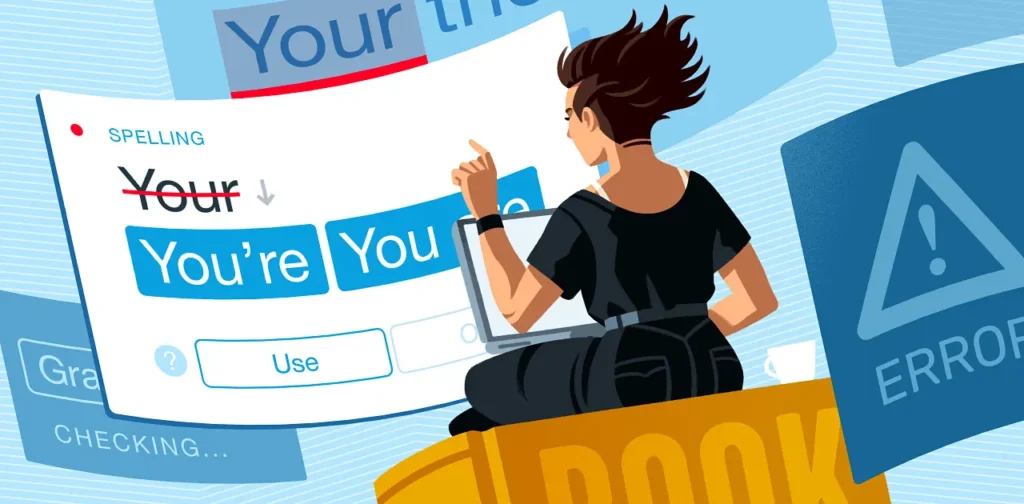
Misused homophones like “their,” “there,” and “they’re” trip up many authors as well. Subtle differences in spelling can drastically alter a message.
Tense consistency is another challenge; switching tenses mid-sentence can confuse readers about the timeline of events. Grammar checkers flag these inconsistencies, keeping your narratives clear.
Run-on sentences dilute ideas and disrupt flow. These tools highlight overly lengthy constructions, guiding you toward more concise expression while enhancing readability.