
Are you tired of sending out emails filled with typos or struggling to express your ideas clearly in writing? If so, you’re not alone. In a world where effective communication is key, tools that help us articulate our thoughts have become essential. Enter Grammarly, a digital writing assistant that promises to enhance your writing and elevate your skills. But does the Premium version really live up to the hype? Let’s dive into this comprehensive review and explore whether investing in Grammarly Premium is worth it for you.
What Is Grammarly?
Grammarly is an advanced writing assistant designed to help users improve their writing skills. It uses artificial intelligence and natural language processing to analyze text in real-time, offering suggestions for corrections and enhancements.
Available as a web app, browser extension, and desktop application, Grammarly caters to a wide range of users from students drafting essays to professionals crafting reports. Its interface is intuitive and user-friendly, making it easy for anyone to navigate through its features.
The tool checks for grammar errors, punctuation mistakes, spelling issues, and even style inconsistencies. By providing instant feedback on your writing quality, Grammarly helps you refine your skills while ensuring that your message comes across clearly.
With millions of users worldwide relying on this innovative software daily, it’s become a go-to resource for anyone looking to communicate more effectively through written words.
How Grammarly Works
Grammarly operates using advanced algorithms and artificial intelligence. This technology analyzes your writing in real time, offering suggestions to enhance clarity and correctness.
When you type, Grammarly scans for grammar issues, punctuation errors, and style inconsistencies. Each suggestion is based on context, ensuring that the recommendations fit seamlessly into your text.
The browser extension integrates directly with platforms like Google Docs and social media. You can write freely while receiving instant feedback right where you need it.
Additionally, Grammarly learns from your writing habits over time. It tailors its recommendations according to your unique voice and preferences.
This adaptive learning makes Grammarly not just a tool but a personalized assistant in improving your writing skills continuously.
Grammarly Premium Features
Grammarly Premium offers a suite of advanced tools designed to elevate your writing. One standout feature is the enhanced grammar checker, which goes beyond basic corrections. It provides detailed explanations for each suggestion, helping you understand and learn from your mistakes.
Tone detection is another impressive aspect. With this tool, Grammarly analyzes your text and suggests adjustments to ensure it reflects the intended mood be it formal, casual, or persuasive. This can be particularly useful when crafting professional emails or creative content.
Additionally, the plagiarism checker scans millions of web pages to identify potential overlaps with existing texts. This ensures originality in your work while maintaining academic integrity.
Personalized word choice suggestions help refine vocabulary usage based on context and audience preferences. These features make Grammarly Premium a comprehensive solution for anyone serious about improving their writing skills.

Grammar Checker
Grammarly’s grammar checker is like having a personal editor at your fingertips. It scans your writing in real-time, catching errors that might slip by unnoticed.
From basic punctuation mistakes to more complex sentence structure issues, Grammarly identifies them all. You’ll receive suggestions on how to correct these errors instantly.
The tool goes beyond just highlighting mistakes. It explains why specific changes are necessary, helping you understand the rules of grammar better.
Whether you’re drafting an email or composing a research paper, this feature enhances clarity and professionalism in your writing. The seamless integration into various platforms means you can write confidently anywhere.
With its user-friendly interface, even beginners find it easy to navigate through their corrections and learn from them efficiently. This makes improving your writing skills an engaging experience rather than a chore.
Tone Detection
Tone detection is one of the standout features in Grammarly Premium. It analyzes your writing style to determine how it may be perceived by readers. This tool can help you adjust your tone to fit various contexts, whether you’re drafting a formal email or crafting a casual blog post.
With its advanced algorithms, Grammarly picks up on nuances that might elude even the most experienced writers. Are you sounding too aggressive? Too passive? The feedback helps fine-tune your message for clarity and impact.
Understanding tone is crucial in effective communication. A friendly tone can build rapport, while a professional one establishes credibility. With real-time suggestions, Grammarly ensures your words convey the right emotion and intention.
This feature empowers users to connect better with their audience by making writing more relatable and engaging. Whether you’re reaching out to colleagues or sharing personal stories, tone detection paves the way for meaningful interactions.
Plagiarism Checker
Grammarly’s plagiarism checker is a standout feature that ensures your writing remains original. It scans your text against billions of web pages, academic papers, and other online content.
When you use this tool, it highlights any content that may not be entirely your own. This can help students avoid unintentional plagiarism in their essays or researchers maintain integrity in their work.
The interface presents results clearly. You’ll see highlighted sections along with sources where similar phrases appear. It’s efficient for those who want to uphold high standards in writing.
Having access to such a detailed analysis allows writers to make necessary adjustments before submission or publishing. Whether you’re crafting an essay or drafting a blog post, knowing the originality of your work brings peace of mind.
Grammarly Pricing
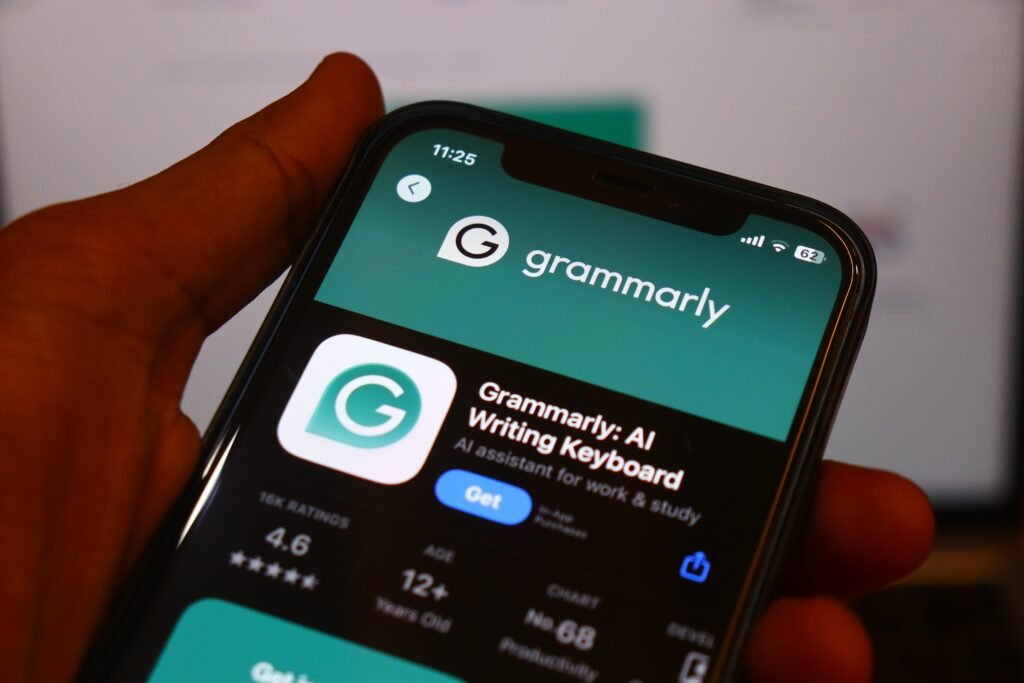
Grammarly offers a range of pricing options to cater to different needs. The free version provides essential grammar and spelling checks, making it accessible for casual users.
For more advanced features, Grammarly Premium is available at a subscription cost. Users can choose between monthly, quarterly, or annual plans. The longer the commitment, the more you save.
There’s also Grammarly Business for teams that require collaborative tools and shared resources. This plan includes additional features designed for organizations looking to improve their team’s writing consistency and productivity.
It’s worth noting that occasional discounts may be offered during special promotions, providing an opportunity to access premium services at a lower price point. Evaluating your writing needs against these costs can help determine which option suits you best.
Grammarly Free vs Premium
Grammarly offers two distinct versions: free and premium. The free version is a solid starting point for basic grammar and spelling checks. It helps catch common mistakes, making it suitable for casual users.
On the other hand, Grammarly Premium elevates your writing experience significantly. With advanced suggestions, it dives deeper into style enhancements and clarity improvements. Whether you’re drafting an email or crafting a blog post, these features come in handy.
Another notable difference lies in tone detection and plagiarism checking. Premium users gain access to tools that can analyze how your message might be perceived by readers while ensuring originality in your content.
For serious writers or professionals, the extra investment may prove invaluable. Those who frequently produce written work could find that the benefits of premium outweigh its cost effectively.
My Experience Using Grammarly
Using Grammarly has been a game changer for my writing process. The instant feedback is incredibly helpful. As I type, suggestions pop up seamlessly, allowing me to make real-time corrections.
The first time I noticed the power of Grammarly was when it flagged a subtle grammatical error in an important email. That moment made me realize how much clarity and professionalism matter in communication.
What surprised me most were the tone detection features. It helped adjust my wording to suit different audiences, whether casual or formal.
I’ve also relied on the plagiarism checker for academic work. Knowing that my content is original provides peace of mind.
Navigating through its interface feels intuitive and user-friendly, making it easy to incorporate into daily tasks without hassle or distraction. Each interaction enhances not just my writing but also boosts confidence in sharing my work with others.
Pros & Cons

Grammarly offers numerous advantages that enhance the writing experience. One standout feature is its real-time feedback. As you type, Grammarly highlights errors and suggests corrections instantly. This helps users learn from their mistakes.
Another significant benefit is the context-specific suggestions. The software doesn’t just point out grammatical errors; it provides recommendations tailored to your writing style and intent. This ensures a more polished final product.
The user-friendly interface makes navigation easy for everyone, regardless of tech savviness. You can seamlessly integrate it with various platforms like Microsoft Word or Google Docs.
Additionally, the tone detection feature assists writers in conveying their intended message effectively, whether it’s formal or casual. This added layer of understanding elevates communication skills significantly.
With its plagiarism checker, you can ensure originality in your work by identifying any unintentional overlaps with existing content crucial for academic and professional settings alike.
Cons
While Grammarly offers numerous benefits, it’s not without its drawbacks. One notable issue is the reliance on internet connectivity. You need a stable connection to access all features seamlessly.
Another concern is the occasional over-correction of text. Sometimes, Grammarly suggests changes that may alter your intended meaning or style. This can be frustrating for users who value their unique voice in writing.
Moreover, the pricing structure can deter potential customers. The premium version comes with a cost that might not fit everyone’s budget, especially students or freelancers just starting out.
There’s also privacy to consider. Some users worry about data security and how their written content is stored or used by Grammarly AI tools. These factors are crucial when deciding whether to invest in the premium service.
Who Should Buy Grammarly Premium
Grammarly Premium is an excellent tool for various users seeking polished writing. If you’re a professional writer, editor, or content creator, the advanced features can elevate your work.
Students and academics benefit greatly from Grammarly’s detailed feedback on grammar and style. The plagiarism checker ensures originality in their submissions.
Business professionals who frequently communicate via email will find Grammarly’s tone detection invaluable. It helps maintain professionalism while ensuring clarity.
Freelancers juggling multiple projects often need assistance with consistency and readability. Here, the premium features serve as a reliable companion.
Even non-native English speakers looking to enhance their language skills will discover immense value in this service. With tailored suggestions, they can improve fluency over time.
Investing in Grammarly Premium aligns perfectly with anyone dedicated to crafting effective communication across different platforms.
Frequently Asked Questions
Is Grammarly Premium worth it?
Yes. Grammarly Premium is a worthwhile investment for anyone who writes regularly. It offers advanced grammar corrections, clarity suggestions, plagiarism detection, and tone analysis that go beyond the free version.
What is the difference between Grammarly Free and Premium?
The free version provides basic grammar, spelling, and punctuation corrections. Premium includes advanced writing suggestions, plagiarism checking, tone detection, and vocabulary improvements.
Can Grammarly detect plagiarism?
Yes. Grammarly Premium checks your writing against billions of webpages and databases to help identify potential plagiarism.
Does Grammarly work with Google Docs and Microsoft Word?
Yes. Grammarly integrates with Google Docs, Microsoft Word, Gmail, Outlook, web browsers, and desktop applications.
Who should use Grammarly Premium?
Grammarly Premium is ideal for students, bloggers, content creators, freelancers, marketers, researchers, and business professionals who want polished, professional writing.
Is Grammarly safe?
Yes. Grammarly uses encryption and security measures to protect user data while providing writing suggestions.